Log In As
Get Started FreeGet Started- Home /
- How To: Set Up your Payment Information

Follow the steps below to add your payment details:
-
Go to creator.chirp.me
-
Log in to your Chirp account
-
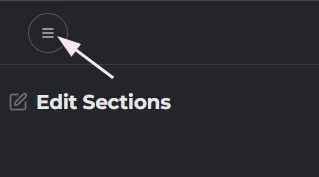
Click the Menu icon towards the top-left corner of the page
-
Select ‘Payments'
-
On the Payment Settings screen, choose ‘Individual’ or ‘Company’ as your type.
-
Fill in the required details: a. Contact Email b. Phone Number c. Name, Company (if applicable) d. Address
-
Enter your payment method details.
*Don't worry, creators' personal identifiable information, or PII, is safe and secure! Chirp uses Tipalti, a third-party company, to handle accounts payable automation. Tipalti's application programming interface protects PII with secure, auditable and regulation-ready integrations.
 a. Name on Account
 b. Bank Name
 c. Routing Code
 d. Account Number
 e. Account Type (e.g., Checking or Savings)
- Select the appropriate tax form (e.g., W-9 for U.S. individuals, W-8BEN for international users).
- Press "Complete Form" to finalize the process.